

In today’s digital world, information overload is a real problem. Millions of pages appear for a single search, yet most people still struggle to find accurate, relevant, and trustworthy results. The reason?
👉 90% of users rely only on basic keyword searches, ignoring advanced search techniques that can dramatically improve results.
This detailed guide explains advanced search methods most people don’t use, helping you search smarter, faster, and more effectively—whether you’re a student, content creator, marketer, researcher, or everyday internet user.
What Is Advanced Search?
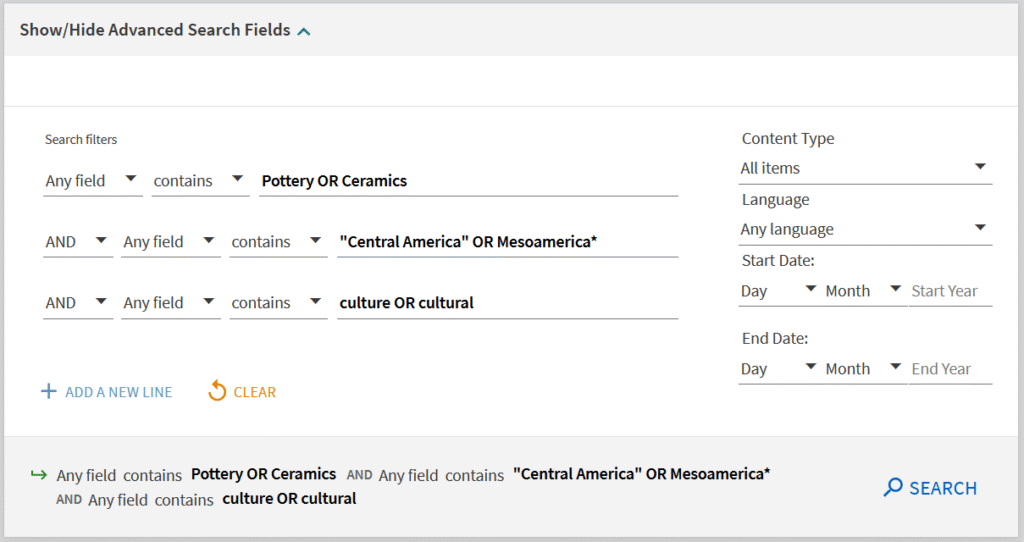
Advanced search refers to using special commands, filters, and logical operators to refine search queries. Instead of typing random words, you tell the search engine exactly what you want—and what you don’t.
- Basic Search:
best smartphones
- Advanced Search:
best smartphones 2025 site:techradar.com -sponsored
The second query delivers more precise, reliable, and focused results.
Why Most People Don’t Use Advanced Search
- They don’t know these features exist
- They think advanced search is “too technical”
- Search engines don’t actively promote these tools
- Habit of quick, casual searching
But once learned, advanced search saves hours of time and delivers higher-quality information.
Powerful Advanced Search Methods You Should Start Using
Google Search Operators (Game-Changer)
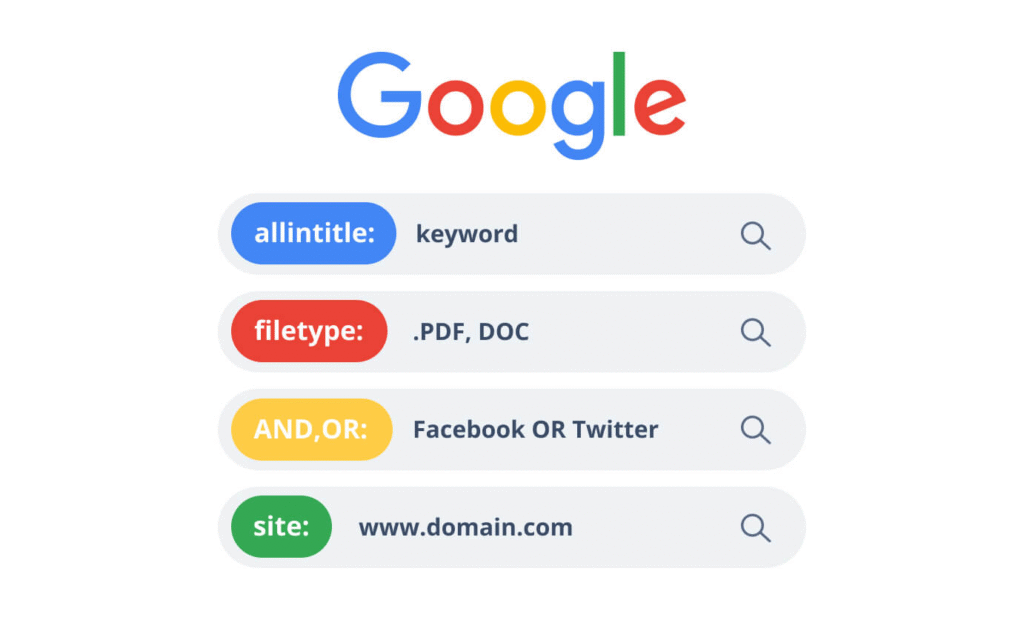
Search operators are symbols or words that give direct instructions to Google.
Most Useful Operators:
- ” “ → Exact phrase
"digital marketing strategies" - – → Exclude words
apple -fruit - site: → Search within a website
AI trends site:forbes.com - filetype: → Find PDFs, PPTs, Docs
SEO checklist filetype:pdf - intitle: → Word must appear in the title
intitle:cybersecurity trends
Perfect for research papers, blogs, and fact-checking.
Boolean Search (AND, OR, NOT)
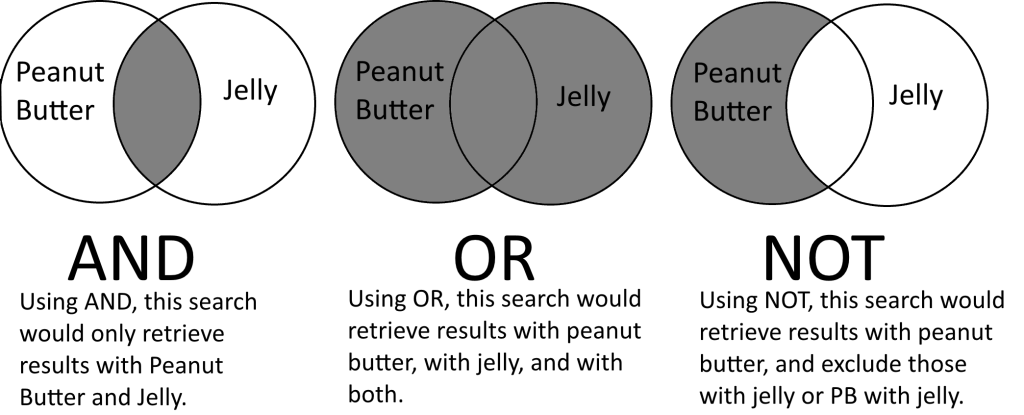
Used widely in databases, job portals, LinkedIn, and academic research.
Examples:
AI AND healthcarefreelance OR remote jobsmarketing NOT ads
Boolean logic ensures broader or narrower results, depending on your goal.
Advanced Search Filters (Time, Region & Type)
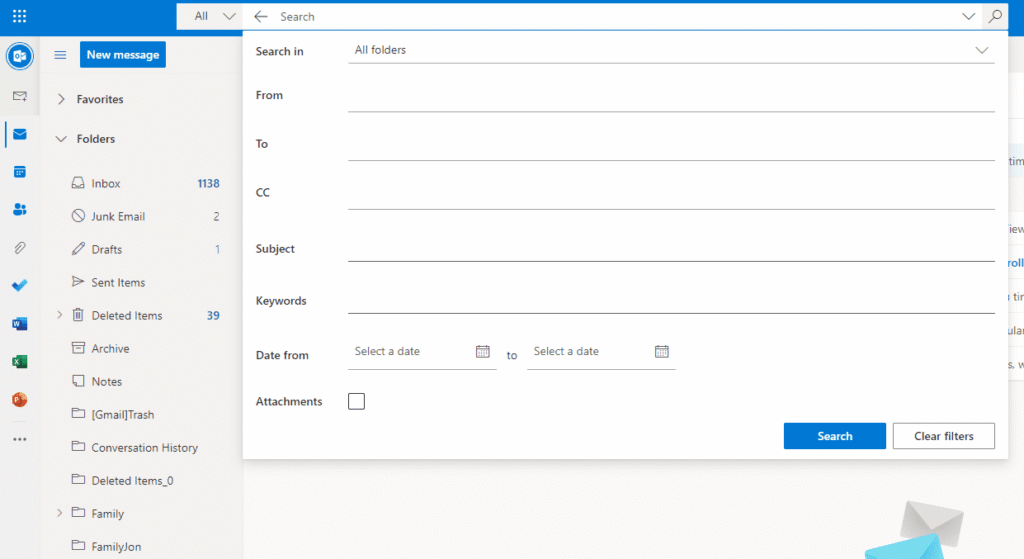
Most people ignore filters available below the search bar.
You can filter by:
- Date (last 24 hours, week, year)
- Region or country
- Content type (news, videos, images)
- Language
Extremely useful for news, trend research, and current data.
Reverse Image Search (Hidden Research Tool)
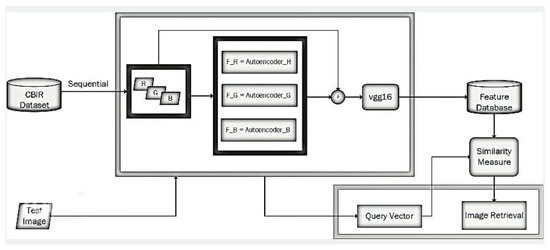
Reverse image search helps you:
- Identify fake images
- Find original sources
- Track image misuse
- Discover similar visuals
Tools:
- Google Images
- Google Lens
A must-use for journalists, designers, and content creators.
Advanced Search for Social Media & Content
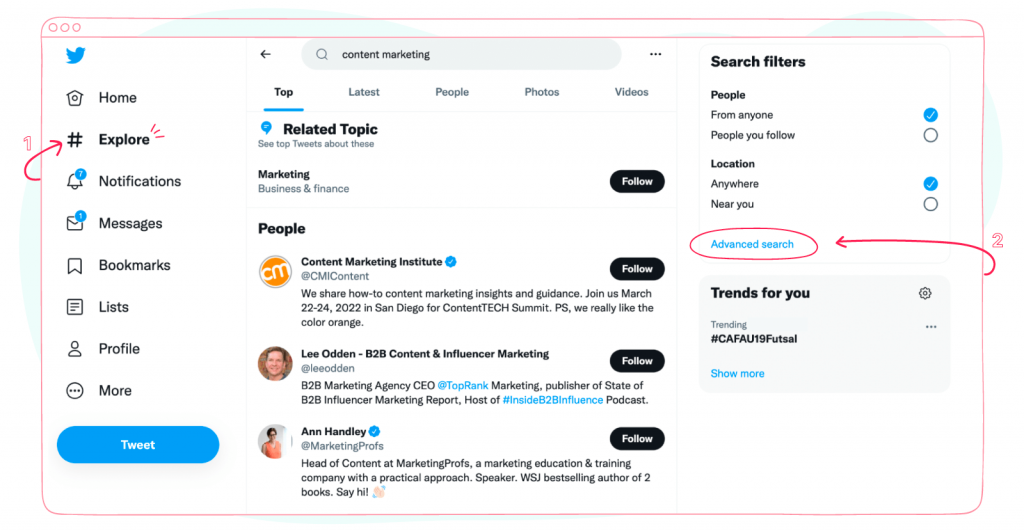
Most platforms support advanced search internally.
Examples:
- Twitter/X: Search by hashtags, date, account
- LinkedIn: Filter by location, industry, job role
- YouTube: Sort by upload date, popularity, duration
Great for trend spotting, influencer research, and audience analysis.
Academic & Research-Based Advanced Search
For reliable, fact-based content:
- Google Scholar
- PubMed
- ResearchGate
Use filters like:
- Author name
- Publication year
- Citation count
Ideal for students, teachers, and professionals.
Use Quotes + Operators Together (Pro Level)
Combine multiple techniques for laser-focused results.
Example:"content marketing strategy" filetype:pdf site:.edu
- Finds academic PDF documents only
- Eliminates blogs & ads
- Delivers high-authority sources
Benefits of Using Advanced Search
✔️ Saves time
✔️ Improves accuracy
✔️ Reduces misinformation
✔️ Helps in SEO & research
✔️ Boosts productivity
✔️ Finds hidden or niche content
Who Should Use Advanced Search?
- Students & researchers
- Bloggers & writers
- Digital marketers & SEO experts
- Journalists
- Business owners
- Job seekers
- Anyone who values quality information
Advanced search is not optional anymore—it’s essential. In an era where misinformation spreads fast, knowing how to search smartly gives you a powerful advantage. By using search operators, filters, Boolean logic, and specialized tools, you can cut through the noise and access precise, trustworthy, and meaningful information.
Start applying even one or two techniques today, and you’ll immediately notice better results and saved time.
Search results may vary depending on location, search engine algorithms, and personalization settings. The techniques mentioned here are for educational purposes and may change as platforms update their features.
#AdvancedSearch #SearchTechniques #Carrerbook #Anslation #GoogleSearchTips #SmartSearching #DigitalResearch #SEOTricks #OnlineResearch #TechSkills #ProductivityHacks #InformationLiteracy